
Buyer’s guide

Best Projector for Bedroom: Top Picks for Wall and Ceiling

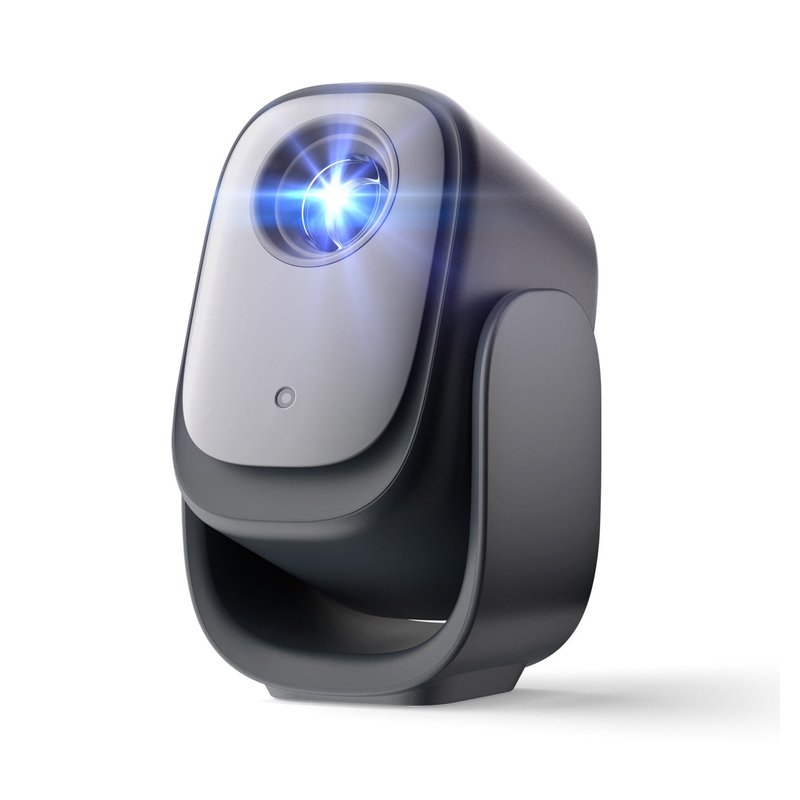
For most bedrooms, start with a native 1080p projector with licensed streaming, a tilting stand and a quiet fan. Our best overall pick is the Dangbei N2 mini; if light leaks into your room, step up to the brighter XGIMI Elfin Flip Plus.

Dangbei N2 mini projector
Our #1 pick

Dangbei N2 mini

Mid-range price range

Brightness (brand)200 ISO lumens
Apps & NetflixLinux OS, licensed Netflix
Ceiling viewingBuilt-in gimbal, 190° tilt

See ratings & reviews ↗ · All 7 picks

Top picks at a glance

The best projectors for a bedroom, by what you need

Seven projectors that cover how people actually watch in bed: on the wall, on the ceiling, in small rooms and on a budget. Each card says who should skip it.

Best overall#1
Dangbei N2 mini projector

Dangbei N2 mini

Mid-range price range

A 190° gimbal for wall or ceiling, licensed Netflix built in and a fan Dangbei rates under 27 dB, at a Mid-range price.

Check specs ›
Best for the ceiling#2
TCL C1 projector

TCL C1

Mid-range price range

A 285° gimbal, Google TV with Netflix certified and Chromecast built in; Empire’s best budget mini projector.

Check specs ›
Best for small rooms#3
XGIMI Elfin Flip Plus projector

XGIMI Elfin Flip Plus

Premium price range

The highest brightness rating we list (500 ISO lumens), a 1.2:1 throw and Google TV in a slim flip-stand body.

Check specs ›
Best mini with a battery#4
Nebula Capsule 3 projector

Nebula Capsule 3

Premium price range

Soda-can size, native 1080p and about 2.5 hours on battery; CNET’s and TechRadar’s mini projector pick.

Check specs ›
Best with Roku built in#5
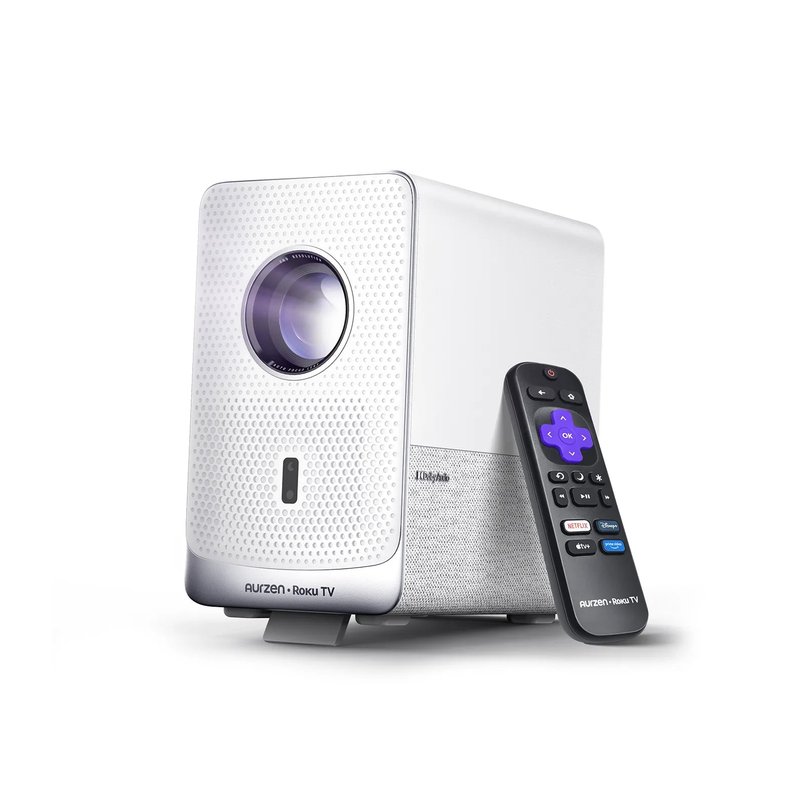
Aurzen EAZZE D1R Cube projector

Aurzen EAZZE D1R Cube

Mid-range price range

Roku TV with Netflix, Prime Video and Disney+, and brightness that measured close to its 330 ANSI lumen rating.

Check specs ›
Best for a kids bedroom#6
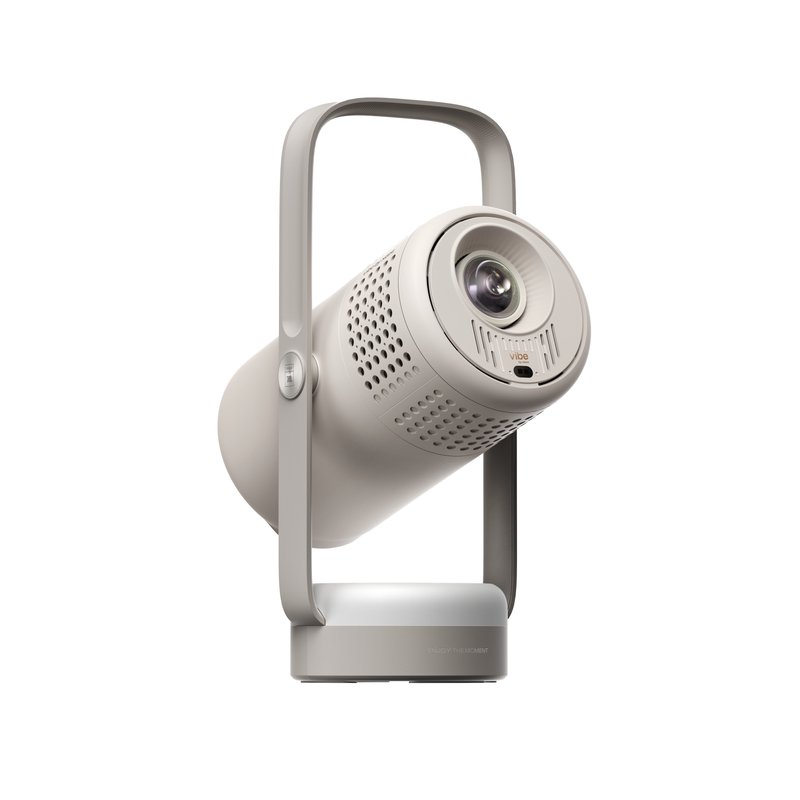
XGIMI Vibe One projector

XGIMI Vibe One

Mid-range price range

Friendly design, a 160° stand that reaches the ceiling, Google TV and a fan XGIMI rates at 28 dB or less.

Check specs ›
Best budget pick#7
HAPPRUN H1 projector

HAPPRUN H1

Budget price range

Native 1080p with no smart system to slow it down; The Hook Up’s long-running sub-$100 favorite. Add a stick for Netflix.

Check specs ›

Prices change often, so we show a price range instead of a number. Budget is under $150, Mid-range $150–$300, Premium over $300, based on typical list prices.

Find your match

Start from your room, not the brand

Bedrooms differ more than spec sheets admit. Pick the line that sounds most like yours.

TCL C1 projector

I want to watch lying down

Start with

TCL C1

If the ceiling is your screen, you need a stand or gimbal that tilts straight up, plus auto focus so the picture stays sharp once it’s pointed there.

XGIMI Elfin Flip Plus projector

My bedroom is small

Start with

XGIMI Elfin Flip Plus

In a short room the throw ratio decides how big the picture gets. Look for about 1.2:1 or lower and decent brightness for the image size you can fit.

Nebula Capsule 3 projector

I want it tiny and portable

Start with

Nebula Capsule 3

A mini projector with a battery can move from bed to sofa to a trip. Expect less brightness than a plug-in model of the same price.

Aurzen EAZZE D1R Cube projector

I just want Netflix to work

Start with

Aurzen EAZZE D1R Cube

Netflix runs only on certified projectors. A model with Google TV, Roku TV or a licensed system saves you from adding a streaming stick.

XGIMI Vibe One projector

It’s for my child’s room

Start with

XGIMI Vibe One

Pick something simple to use, placed out of reach, with a fan that won’t keep anyone awake. Several models also dim when someone walks in front of the lens.

HAPPRUN H1 projector

I’m on a tight budget

Start with

HAPPRUN H1

Cheap projectors often inflate brightness and resolution. A native 1080p model with independent test results is a safer bet, even if you add a stick.

Our picks in detail

What each projector does well, and who should skip it

Specifications are each brand’s own; fit notes draw on independent reviews and measurements. We have not tested or used these projectors ourselves. How we pick.

Best overall#1

Dangbei N2 mini

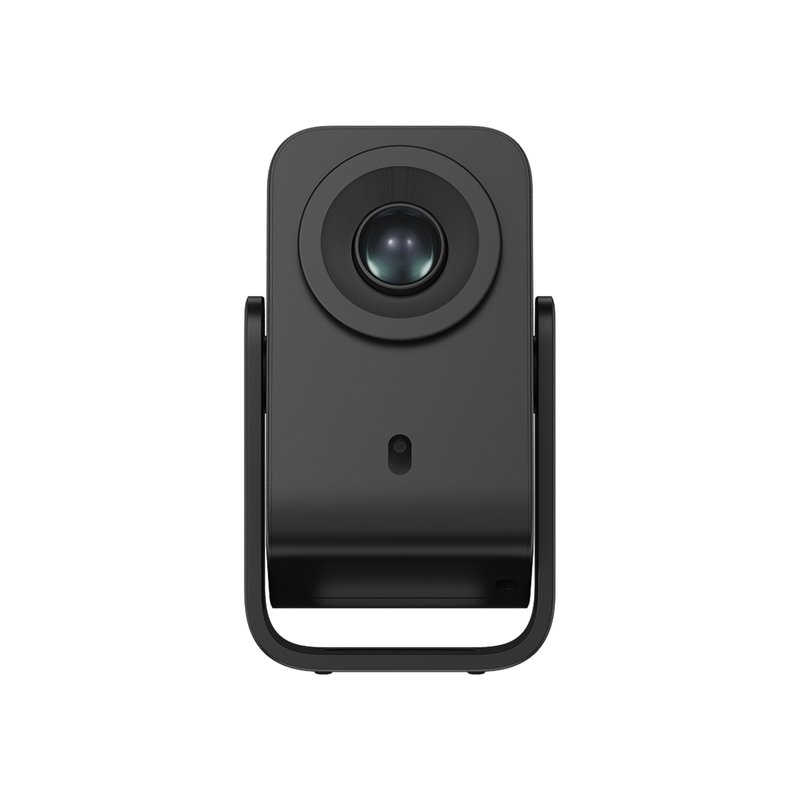
The N2 mini puts the three things a bedroom asks for into one Mid-range box: a gimbal that tilts from the wall to the ceiling, licensed Netflix with no stick, and a fan Dangbei rates under 27 dB. It is a native 1080p LCD projector rated at 200 ISO lumens, which suits a dark room and a modest image better than a bright one.

Why it stands out

  • Built-in gimbal with 190° of tilt, so it can sit on a nightstand and aim straight up at the ceiling.
  • Licensed Netflix, YouTube and Prime Video come pre-installed on Dangbei’s Linux system (the brand’s description).
  • Auto focus, auto keystone, screen fit and obstacle avoidance; Dangbei rates the fan under 27 dB.
Brightness (brand)200 ISO lumens
ResolutionNative 1080p
Apps & NetflixLinux OS, licensed Netflix
Ceiling viewingBuilt-in gimbal, 190° tilt
Fan noise (brand)Under 27 dB

Good fit if

  • You watch with the lights off and want 80–100 inches, not a giant screen.
  • You want to lie back and watch on the ceiling without a tripod.
  • You want Netflix to work out of the box.

Skip it if

  • Light leaks in at night — a brighter model like the Elfin Flip Plus copes better.
  • You need Google TV specifically: the N2 mini runs Dangbei’s own Linux system with about 300 apps.
  • You want battery power — it has none.

Brightness is Dangbei’s own ISO 21118 figure. Android Authority framed its review around ceiling viewing, which is where this model makes the most sense.

Best for the ceiling#2

TCL C1

TCL built the C1 around watching in bed: its gimbal swings through 285°, and TCL describes it projecting onto the ceiling. It runs Google TV with Netflix certified, has Chromecast built in, and TCL rates the fan at 30 dB or less. Empire named it its best budget mini projector.

Why it stands out

  • 285° gimbal that TCL says reaches the ceiling.
  • Google TV, Netflix certified and Chromecast built in.
  • Native 1080p LCD rated at 230 ISO lumens; auto focus, keystone, screen fit and obstacle avoidance.
Brightness (brand)230 ISO lumens
ResolutionNative 1080p
Apps & NetflixGoogle TV, Netflix certified
Ceiling viewing285° gimbal
Fan noise (brand)30 dB or less

Good fit if

  • Ceiling viewing is the main reason you want a projector.
  • You cast from an Android phone or Chrome often.
  • You want a Mid-range price with Google TV.

Skip it if

  • You need battery power — TCL’s own spec table and a review disagree on whether it has one, so don’t count on it.
  • Your room has light leaks; 230 ISO lumens is dark-room brightness.
Best for small rooms#3

XGIMI Elfin Flip Plus

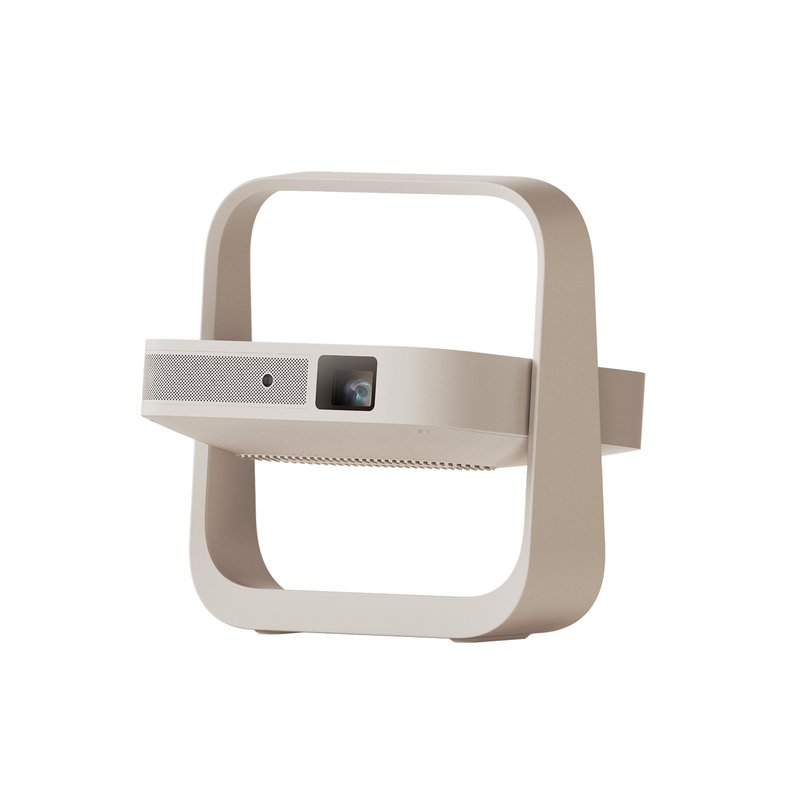
The Elfin Flip Plus is the brightest model in our list on paper: XGIMI rates it at 500 ISO lumens. It is a slim, book-sized 1080p projector with Google TV and licensed Netflix, and its integrated stand rotates 150°, so it can point at a wall or the ceiling.

Why it stands out

  • 500 ISO lumens (XGIMI’s figure), the most of any projector we list.
  • Google TV with licensed Netflix; throw ratio of 1.2:1 for a big image in a short room.
  • Fan rated 28 dB or less; XGIMI’s Intelligent Eye Protection dims the image when someone steps in front of the lens.
Brightness (brand)500 ISO lumens
ResolutionNative 1080p
Apps & NetflixGoogle TV, licensed Netflix
Ceiling viewingFlip stand, 150° rotation
Fan noise (brand)28 dB or less

Good fit if

  • Your bedroom isn’t fully dark at night.
  • The room is short and you need a large image from close up.
  • You want Google TV and a design that looks tidy on a dresser.

Skip it if

  • You need a battery.
  • Your budget stops at Mid-range — it sits in our Premium tier.
Best mini with a battery#4

Nebula Capsule 3

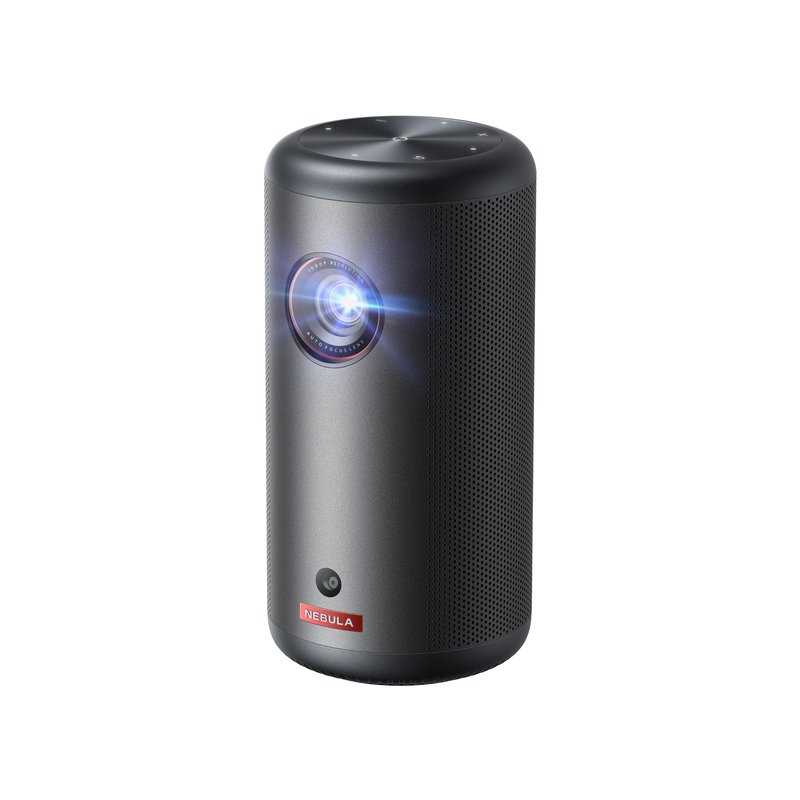
The Capsule 3 is about the size of a soda can and carries a battery rated for about 2.5 hours in Eco mode. Nebula rates it at 200 ANSI lumens with native 1080p and Google TV with licensed Netflix. CNET named it its best 1080p mini projector and TechRadar its best mini projector.

Why it stands out

  • Soda-can size with a built-in battery (about 2.5 hours, Eco).
  • Google TV with licensed Netflix and an 8W Dolby speaker.
  • Auto focus, auto keystone, screen fit and obstacle avoidance; fan rated under 28 dB.
Brightness (brand)200 ANSI lumens
ResolutionNative 1080p
Apps & NetflixGoogle TV, licensed Netflix
Ceiling viewingOptional stand only
Fan noise (brand)Under 28 dB

Good fit if

  • You want the smallest projector that still shows native 1080p.
  • You move it between rooms or take it on trips.
  • You value mini-projector picks from CNET and TechRadar.

Skip it if

  • You want ceiling viewing without extras — it has no built-in tilt stand (Nebula sells an optional stand).
  • You want a bright image in a room that isn’t dark.
Best with Roku built in#5

Aurzen EAZZE D1R Cube

Tom’s Guide covered the D1R Cube’s launch as the first projector with Roku TV built in, so Netflix and the other big apps run on the same Roku system many people already know from their TV. Aurzen rates it at 330 ANSI lumens, and The Hook Up measured 322 ANSI, very close to the claim.

Why it stands out

  • Roku TV built in: Netflix, Prime Video, Disney+, Hulu and YouTube with no stick.
  • Brightness that held up in independent testing (322 ANSI measured vs 330 rated).
  • Sleep timer, AirPlay and 2×5W Dolby Audio speakers.
Brightness (brand)330 ANSI lumens
ResolutionNative 1080p
Apps & NetflixRoku TV built in
Ceiling viewingCeiling mount (1/4″ screw)
Fan noise (brand)35 dB or less

Good fit if

  • You already use Roku and want the same remote and menus.
  • You want honest, measured brightness in the Mid-range tier.
  • You fall asleep watching and want a sleep timer.

Skip it if

  • You want to lie back and watch the ceiling — it has no tilting stand, only a 1/4″ mount.
  • Noise matters most: Aurzen rates it at 35 dB or less, louder than the 27–30 dB models.
Best for a kids bedroom#6

XGIMI Vibe One

The Vibe One is a friendly-looking 1080p projector with a 160° built-in stand, Google TV with licensed Netflix and sound by JBL. XGIMI rates it at 250 ISO lumens and 28 dB or less. What Hi-Fi named it its best cheap portable projector.

Why it stands out

  • Built-in 160° stand from wall to ceiling.
  • Google TV with licensed Netflix; 2×3W speakers tuned by JBL.
  • Fan rated 28 dB or less; small battery (up to 1.2 hours of video in Eco).
Brightness (brand)250 ISO lumens
ResolutionNative 1080p
Apps & NetflixGoogle TV, licensed Netflix
Ceiling viewingBuilt-in 160° stand
Fan noise (brand)28 dB or less

Good fit if

  • You want a Mid-range projector for a kid’s room or a family movie night.
  • You like ceiling viewing at bedtime.
  • Design matters as much as specs.

Skip it if

  • You want a long battery life — treat it as a plug-in projector.
  • You need more brightness for a room with light leaks.
Best budget pick#7

HAPPRUN H1

The H1 is a simple native 1080p projector with no smart system at all. That keeps it cheap: The Hook Up named it Best Overall in its 2024 sub-$100 test and Most Dependable in its 2025 sub-$100 picks. Pair it with a streaming stick for Netflix.

Why it stands out

  • Native 1080p (The Hook Up verified it) at a Budget-tier price.
  • Long track record in independent sub-$100 testing.
  • HDMI for a Fire TV, Roku or Chromecast stick; Bluetooth out for a speaker.
Brightness (brand)Not stated
ResolutionNative 1080p
Apps & NetflixNone (add a streaming stick)
Ceiling viewingCeiling mount or tripod
Fan noise (brand)Not stated

Good fit if

  • You already own a streaming stick or game console.
  • You want the least expensive way to try a bedroom projector.

Skip it if

  • You want apps built in — it has none.
  • You want auto focus or a ceiling stand; focus is manual.

HAPPRUN does not publish a lumen figure for the H1, so compare it on independent tests rather than the box.

Side by side

Compare the specs

Scroll sideways on a phone. Brightness and noise are brand ratings, not our measurements.

ProjectorBest forBrightness (brand)Apps & NetflixCeiling viewingFan noise (brand)Price range
Dangbei N2 miniBest overall200 ISO lumensLinux OS, licensed NetflixBuilt-in gimbal, 190° tiltUnder 27 dBMid-rangeDetails ›
TCL C1Best for the ceiling230 ISO lumensGoogle TV, Netflix certified285° gimbal30 dB or lessMid-rangeDetails ›
XGIMI Elfin Flip PlusBest for small rooms500 ISO lumensGoogle TV, licensed NetflixFlip stand, 150° rotation28 dB or lessPremiumDetails ›
Nebula Capsule 3Best mini with a battery200 ANSI lumensGoogle TV, licensed NetflixOptional stand onlyUnder 28 dBPremiumDetails ›
Aurzen EAZZE D1R CubeBest with Roku built in330 ANSI lumensRoku TV built inCeiling mount (1/4″ screw)35 dB or lessMid-rangeDetails ›
XGIMI Vibe OneBest for a kids bedroom250 ISO lumensGoogle TV, licensed NetflixBuilt-in 160° stand28 dB or lessMid-rangeDetails ›
HAPPRUN H1Best budget pickNot statedNone (add a streaming stick)Ceiling mount or tripodNot statedBudgetDetails ›

Want to see more than our seven picks?

Browse more bedroom projectors ›

Not sure where to start?

The Dangbei N2 mini covers the usual bedroom wish list: wall or ceiling, Netflix without a stick and a quiet fan. Brightness, ports and what’s in the box are on the product page.

How to choose

Five things that matter more than the brand

Most disappointing bedroom projectors come down to inflated specs, the wrong distance or apps that don’t work.

01

Check how brightness is rated

Look for ANSI or ISO lumens. BenQ says “LED lumens” and “light source lumens” aren’t certified measurements, and TechRadar reports one 9,500-lumen projector measured under 1% of its claim.

02

Native resolution, not “4K supported”

A “4K supported” projector accepts a 4K signal and scales it down. The picture you see is the native panel: 720p or 1080p in this price range.

03

Measure your throw distance

Distance equals throw ratio times image width. At 1.2:1, an 80-inch image needs about 7 feet and a 100-inch image about 8.7 feet.

04

Make sure the apps are licensed

Netflix works only on projectors from brands that partner with it. Without that, plan on a streaming stick in the HDMI port.

05

Listen for the fan

You’ll sit close to it. Brand ratings in this list run from under 27 dB to 40 dB; BenQ says a 30 dB projector is barely audible from about 6.6 feet.

FAQ

Bedroom projectors: questions answered

Straight answers to what people ask before buying, drawn from display-industry guidance, independent reviews, brand manuals and Netflix’s own help pages.

Is a projector right for your bedroom?5

Is a projector good for a bedroom?

Yes, if you can make the room dark. A bedroom at night is close to ideal: CNET calls ambient light the biggest image-quality problem for projectors, and bedrooms have little of it after sunset. You also get a big picture without a big black TV on the wall. In a sunny room by day, a TV will look much brighter.

Projector or TV: which is better for a bedroom?

It depends on light and size. CNET says that for most people TVs are now the better option, because they are far brighter and hold up in lit rooms. CNET also says projectors win on price per screen inch and disappear when switched off, leaving a plain wall. For a dark bedroom and a picture above about 65 inches, a projector makes sense.

How big should the picture be in a bedroom?

For most bedrooms, 80 to 100 inches is plenty. Sound & Vision’s examples show that from about 7 feet, a screen of roughly 52 inches meets the widely quoted SMPTE 30° guideline and about 63 inches meets THX’s (usually quoted at 36–40°), so larger images suit beds farther from the wall. Bigger also means dimmer, so a smaller image looks brighter from the same projector.

Are cheap projectors worth it?

Some are, but you have to read specs carefully. TechRadar warns that cheap listings use resolution and brightness labels loosely, and Epson won a court case after an advertised 9,500-lumen projector measured under 1% of that. Models with native 1080p and ANSI or ISO ratings, or independent test results, are the safer buys.

Can a projector replace a TV in the bedroom?

For evening viewing, often yes. A projector with Google TV, Roku TV or another licensed system streams on its own, and some have sleep timers. It will look washed out in daylight, take a moment to aim and focus, and needs a clear wall or ceiling. If you watch mostly in bright daytime, keep the TV.

Want the short answer? Our best overall pick does wall and ceiling viewing with Netflix built in.See details
Brightness and lumens5

How many lumens do I need for a bedroom projector?

In a dark bedroom, a few hundred ANSI or ISO lumens can work for a modest image; more helps if light leaks in or the image is large. Anker’s guide suggests 500–800 lumens for dark rooms, while BenQ suggests 1,500–2,000 for a 100–120 inch home theater screen. The difference is mostly image size.

What is the difference between ANSI lumens and ISO lumens?

Both measure the brightness of the projected image. ANSI lumens average readings at nine points on a white image, and ISO 21118 is the international standard Epson cites for projector brightness. Anker says ISO testing tends to read slightly lower than ANSI, while Test & Tipps reports both use the same grid method. Either is far more useful than an unqualified “lumens” number.

Why do cheap projectors claim 9,500 lumens?

Because the figure isn’t an ANSI measurement. BenQ says “LED lumens” and “light source lumens” use uncertified methods; by its conversion, 1,000 light-source lumens is roughly 60 ANSI lumens. TechRadar reported a 9,500-lumen projector that measured under 1% of its claim, and a US court ordered its maker to pay damages.

Will a bedroom projector work with the lights on?

Only dimly. RTINGS says even its top budget picks aren’t bright enough to avoid a faded image in a room with ambient light, though they look good in the dark. Blackout curtains, a smaller image and a brighter model help. For daytime viewing in a sunny room, a TV is the better tool.

Does a bigger image need more brightness?

Yes. ProjectorScreen.com explains that the same lumens spread over a larger screen give a dimmer picture: going from 100 to 150 inches more than halves screen brightness, and doubling the diagonal cuts it to a quarter. In a small bedroom, keeping the image modest is the cheapest way to make it look brighter.

Room not quite dark? This pick has the highest brightness rating in our list.Check brightness & specs
Distance, image size and screens5

How far should a projector be from the wall?

Multiply the throw ratio by the image width. ProjectorCentral defines throw ratio as distance divided by width, so a 1.2:1 projector needs about 7 feet for an 80-inch image (69.6 inches wide) and about 8.7 feet for 100 inches. Dangbei gives the same example: about 2.65 m for 100 inches at 1.2:1.

What is a short-throw projector?

One that makes a large image from close up. AVIXA puts short throw at roughly 0.4:1 to 1.0:1 and ultra-short throw below 0.4:1, though ProjectorCentral uses tighter definitions. Most projectors we cover sit around 1.12–1.3:1, between AVIXA’s short-throw range and the 1.5:1 where it says standard throw starts, which works in most bedrooms.

Do I need a projector screen, or is a wall fine?

A smooth white wall is fine to start. Projector Point says an uneven wall makes the image look less sharp and bright than a screen, and paint can’t make a rough wall smooth. Best Buy Canada adds that cream or off-white paint can shift colors. A matte white screen helps if your wall is textured.

Can I use a projector in a very small bedroom?

Yes, if you size the image to the room. With a typical 1.2:1 throw, about 7 feet gives an 80-inch picture. In a shorter room, accept a smaller image or choose a lower throw ratio, such as the E1R’s 1.12:1. Ceiling projection from a nightstand is another way around a short room.

Does keystone correction lower picture quality?

It can. ProjectorScreen.com says digital keystone works by shrinking pixels and can reduce visible resolution by up to 50%, so it should be a last resort. Sound & Vision agrees it reduces resolution. Square the projector to the wall first, then let auto keystone fix what’s left.

Short on space? This pick’s 1.2:1 throw makes a big image from close up.See full specs
Watching on the ceiling5

Can you project a movie onto your ceiling?

Yes. TechRadar says a bedroom ceiling works as long as it is a muted color close to white and isn’t stucco or popcorn. You need a projector that tilts straight up, such as a gimbal or flip-stand model, or a low tripod. The projector’s settings can flip the image so it isn’t upside down.

What is the best projector for watching on the ceiling?

One with a built-in gimbal or tilting stand plus auto focus. The TCL C1 swings through 285°, the Dangbei N2 mini tilts 190°, and the Dangbei Freedo tilts 165° with a battery. These avoid balancing a projector on its back, which can block vents.

Is it safe to put a projector on the bed to aim at the ceiling?

No. BenQ’s manual says not to place a projector on bedding or any soft surface, and Epson and Nebula say the same, because blocked vents can overheat it. Put it on a nightstand, shelf or floor stand, tilt the head up, and keep the vents clear.

How big will the picture be on my ceiling?

That depends on the distance to the ceiling and the throw ratio. With a projector on a nightstand roughly 5–6 feet below the ceiling and a 1.2:1 throw, expect an image around 50–60 inches wide. TechRadar notes that the lower the projector sits, the bigger the picture.

Do I need a special ceiling screen?

Usually not. TechRadar says a flat, near-white ceiling works, while a ceiling-mounted screen gives better quality. Textured or popcorn ceilings scatter light and soften the image. Ultra-short-throw projectors are hard to use this way, so stick to standard-throw minis.

Lying-down viewing is the plan? Read what owners say about this gimbal model.Read owner reviews
Netflix, apps and phones5

Why won’t Netflix work on my projector?

Most likely the projector isn’t certified. Netflix says its app works only on projectors from brands that partner with it, and lists brands including Nebula, XGIMI, Dangbei and Wanbo. Uncertified devices can show error 5001. The fix Netflix gives is to connect a Netflix-supported device, such as a streaming stick, over HDMI.

Which projectors have Netflix built in?

Models with Google TV, Roku TV or a licensed system. In our list that includes the XGIMI MoGo 4, Elfin Flip Plus and Vibe One, Nebula Capsule 3, TCL C1, Dangbei N2 mini and Freedo, and Aurzen’s Roku models, whose app lists include Netflix according to Aurzen. Budget models like the HAPPRUN H1 and FUDONI GC888A need a stick.

Can I mirror Netflix from my iPhone to a projector?

Not by AirPlay. Netflix states that AirPlay with iPhone and iPad is not supported and that screen mirroring is no longer supported. Use a projector with Netflix built in, a streaming stick, or a wired adapter: Netflix lists Apple’s Lightning Digital AV Adapter or a USB-C adapter that supports video.

Will a Fire TV Stick or Roku stick work with any projector?

Any projector with an HDMI input will accept one. Power is the catch: Roku says its players need a 5V, 1A supply and that a weak USB port can cause low-power warnings, and Android Central says Fire TV Sticks need at least 1A. If the projector’s USB port is weak, use the wall adapter.

Are cheap “Android” projectors safe to use?

Be cautious. Google says only Play Protect certified devices may include Google apps, and uncertified ones may miss updates and carry unlicensed apps. Android Authority reported that some low-cost Android TV boxes sold online came with malware. Certified Google TV or Roku systems avoid this problem.

Want Roku menus you already know? See this Roku TV projector.Check apps & ports
Noise, sound, eyes and sleep5

How quiet should a bedroom projector be?

Around 30 dB or less is a sensible target. BenQ says a 30 dB projector is barely audible from about 6.6 feet and that cheaper projectors often exceed 40 dB; Valerion suggests 28 dB or lower for noticeably quiet operation. These are brand ratings, not independent measurements, and Eco mode usually lowers noise.

Is a projector better for your eyes than a TV?

There’s no independent evidence either way. The American Academy of Ophthalmology says screens don’t permanently damage eyes but can cause digital eye strain, and recommends the 20-20-20 rule. Claims that projected light is gentler come from projector makers. Never stare into the lens; manuals from BenQ, Nebula and Dangbei all warn against it.

Will watching a projector in bed affect my sleep?

It can. Sleep Foundation recommends keeping the hour before bed screen-free and even suggests removing devices from the bedroom; Harvard Health advises avoiding bright screens two to three hours before bed. If you do watch in bed, use a sleep timer, lower the brightness and stop well before you want to sleep.

Can I use Bluetooth headphones with a projector?

Usually yes, but expect some lag. PCWorld says Bluetooth audio delay can reach about 150 ms, and Avantree puts the common SBC codec at 200–220 ms. A wired connection or a soundbar over HDMI ARC removes most of the delay; some projectors also offer an audio sync setting.

Are projector speakers good enough?

For a bedroom, often. CZUR notes built-in speakers are usually 2–10W with weak bass, and fan noise can compete with quiet dialogue. Models like the MoGo 4 (2×6W Harman Kardon) and Capsule 3 (8W Dolby) are stronger than most. A small Bluetooth speaker or a soundbar over HDMI ARC is the easy upgrade.

Curious how quiet owners find it in practice? Read reviews of our best overall pick.What owners say
Placement and safety5

Where should I put a projector in my bedroom?

On a stable surface with clear vents: a nightstand, dresser, shelf or floor stand facing a plain wall, or tilted up at the ceiling. AWOL Vision suggests a high shelf at the back of the room if there is enough ventilation around it. Avoid the bed itself; manuals say soft surfaces can block airflow.

How much space does a projector need around it?

Follow your model’s manual. Epson’s safety instructions ask for at least 20 cm from the wall and 30 cm on the lens side, while BenQ asks for at least 50 cm of clearance. Every manual we read says not to cover the projector or block its vents.

Can I leave a projector on all night?

It’s better not to. Use a sleep timer if the model has one; Aurzen lists a scheduled power-off on its Roku models. For battery projectors, New York State fire-safety guidance says not to charge lithium-ion devices on a bed or while you sleep, and Nebula’s manual warns against very hot surroundings.

Is a projector safe in a child’s bedroom?

With some care. Place it out of reach, keep cords tidy, and teach children not to look into the lens. FDA guidance tells laser projector makers to warn adults to supervise children and never let them stare into the beam. Remotes with coin cells should be kept away from small children, as XGIMI and Nebula warn.

Should I mount a projector on the bedroom ceiling?

Only if you want a permanent setup. A ceiling mount keeps the projector out of the way, and the image-flip setting corrects orientation, but AWOL Vision notes it takes more DIY work. A shelf, stand or tilting-stand projector needs no drilling; check your lease or housing rules first.

Shopping around? Browse more bedroom projectors.Browse bedroom projectors

How we pick

How this guide is put together

  • We compare each brand’s published specifications: brightness and how it is rated, native resolution, throw ratio, apps, stands, noise and ports.
  • We read independent reviews and measurements (CNET, TechRadar, What Hi-Fi, RTINGS, The Hook Up and others) plus brand manuals.
  • We look for agreement across sources and say when a brand’s figure is unverified or sources disagree.
  • We do not test products, accept free products or take payment for placement.

What a budget projector can and cannot do

A small LED projector can give you a big, sharp picture in a dark room. It will not match a TV’s brightness in daylight, and spec sheets often overstate brightness. Check how lumens are rated, keep vents clear and follow the manual.

Read how we pick →

Your room, your wall, your bedtime: pick for all three

Measure the distance, decide between wall and ceiling, and make sure the apps you use are licensed. If you are unsure, start with our best overall pick.